DocuTOOL
DocuTOOL
Docu Tool
DocuTOOL is a Web-Based Document Management System. Documents can be scanned and stored in various formats. The documents are then read using OCR Technology and indexed for search like google. The system is equipped with efficient, user-friendly functionalities enhancing productivity and user-convenience. It has Role-based access control for secure document sharing and management, Metadata tagging and automatic indexing to simplify document categorization. Built-in notifications and workflow automation for approvals and document lifecycles
Docu Tool
DocuTOOL is a Web-Based Document Management System. Documents can be scanned and stored in various formats. The documents are then read using OCR Technology and indexed for search like google. The system is equipped with efficient, user-friendly functionalities enhancing productivity and user-convenience. It has Role-based access control for secure document sharing and management, Metadata tagging and automatic indexing to simplify document categorization. Built-in notifications and workflow automation for approvals and document lifecycles
Key Benefits of
DocuTOOL

24/7 availability
24 Hour access to documents with internet connection. *1

productivity
Easily searchable with keywords. Hence increase in productivity by reducing. manual search of documents.

efficiency
Paper cost and ink cost is reduced. promotes an eco-friendly, paperless office environment

Mobile access
Access from anywhere through smart phone.

Data protection
Provide Security by user access control for sensitive documents.

Security
Data is safe on central server. Thus reducing theft of the document.
Security
Data is safe on central server. Thus reducing theft of the document.
24/7 availability
24 Hour access to documents with internet connection.
productivity
Easily searchable with keywords. Hence increase in productivity by reducing. manual search of documents.
efficiency
Paper cost and ink cost is reduced. promotes an eco-friendly, paperless office environment
Mobile access
Access from anywhere through smart phone.
Data protection
Provide Security by user access control for sensitive documents.
Features Overview
Features Overview
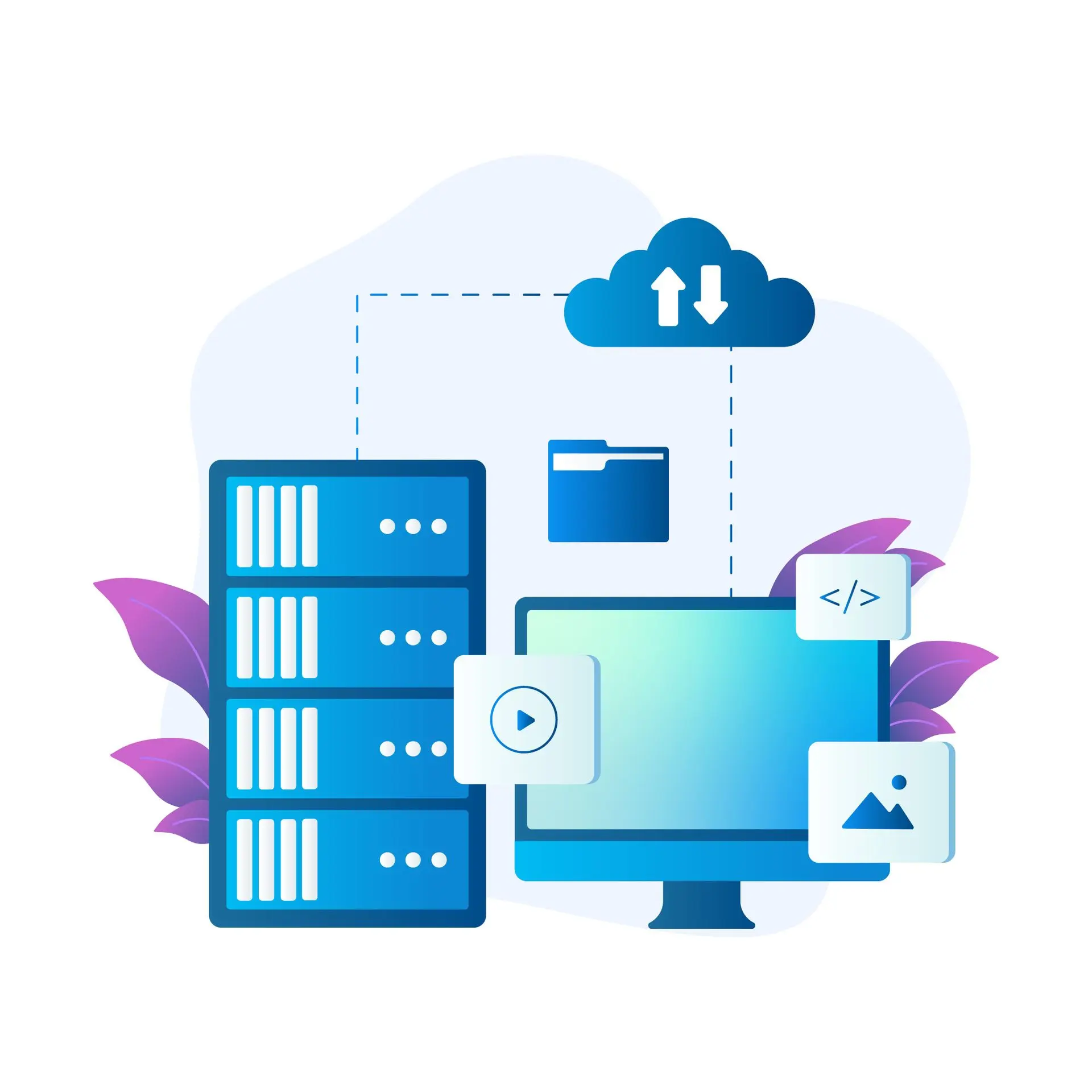
Server
- Scan and store the documents.
- Read the image using an OCR. *3
- Index the documents for faster search.
- Supports DOC, XLS, PPT, PDF and TXT file formats.
- Manage the Documents by Admin module.
Server
- Scan and store the documents.
- Read the image using an OCR. *3
- Index the documents for faster search.
- Supports DOC, XLS, PPT, PDF and TXT file formats.
- Manage the Documents by Admin module.
Client
- Search with Full text, like Google
- User access control.
- View the document as a ‘Book' in browser.
- List of books displayed in which search keyword exists.
- List contains sentences in which search keyword exists.
- By clicking title in search list corresponding page opens where keyword exists.
- Japanese text search supported.
Client
- Search with Full text, like Google
- User access control.
- View the document as a ‘Book' in browser.
- List of books displayed in which search keyword exists.
- List contains sentences in which search keyword exists.
- By clicking title in search list corresponding page opens where keyword exists.
- Japanese text search supported.
Book View In Browser
Book View In Browser
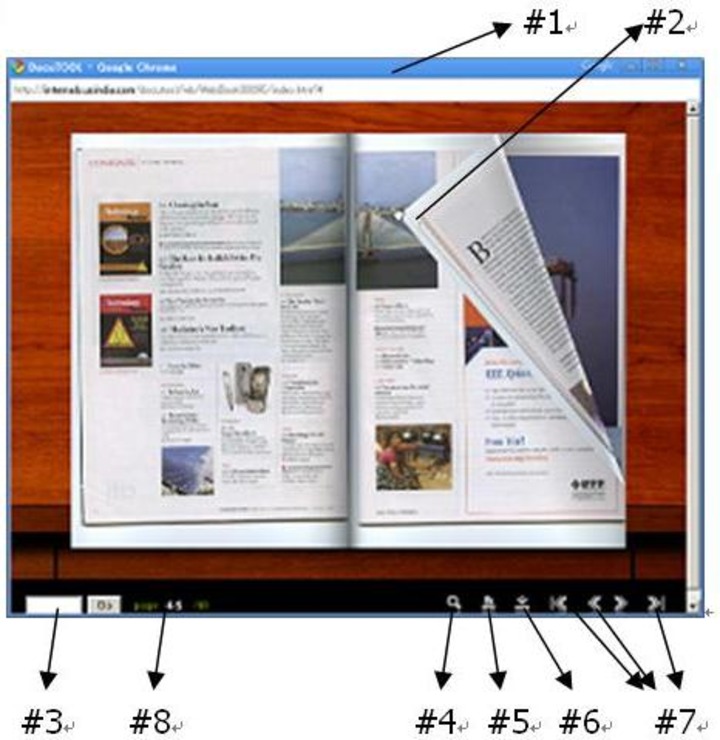
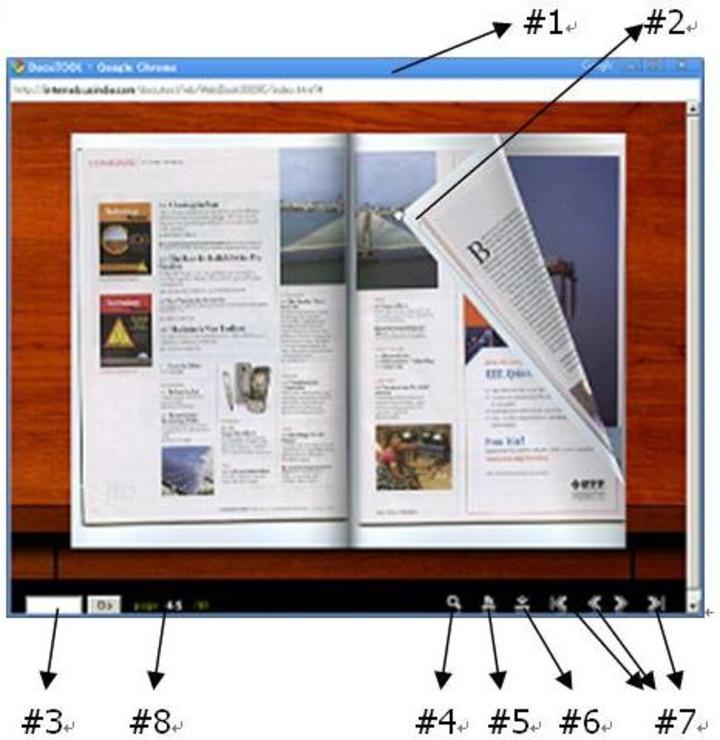
- Document is viewed as book in browser#1.
- Page curl effect for page turning#2.
- Page jump by specifying page number#3 .
- Zoom by double click or button#4.
- Print displayed pages (Left, Right or both pages can be selected)#5.
- Download whole book#6.
- Page scrolling by buttons(First,Last,Next,Previous) #7.
- Current Page,Total Number of pages display #8.
- Document is viewed as book in browser#1.
- Page curl effect for page turning#2.
- Page jump by specifying page number#3 .
- Zoom by double click or button#4.
- Print displayed pages (Left, Right or both pages can be selected)#5.
- Download whole book#6.
- Page scrolling by buttons(First,Last,Next,Previous) #7.
- Current Page,Total Number of pages display #8.
Contact Us
Unikaihatsu Software has Head Office in Mumbai and main Branch Office in Tokyo, Japan. We have other development centres across India and sales offices across Japan. All Locations